- 1,000,000+ installs
- 4.7★ · 48,943 ratings
- Android 6.0+
- Since 2013
Write it down. Stick it on the home screen.
Another Note Widget is one small job done well: a note that lives on your home screen. Type it or scribble it with your finger, pick sticky-note yellow or a blackboard, and it stays there until you change it. No account, no sync, no internet needed.
Free, with ads. Removing the ads is a single one-time purchase of $1.99 on Google Play. It is not a subscription and never renews. Price details.
Illustration of notes pinned up, not a screenshot. The app’s own designs are in the screenshots below.
A notepad the size of a widget
It is built for short notes: a reminder, a list, a doodle, a word of encouragement you want to see every time you unlock the phone. It does not try to be a notebook, and that is the point.
Six paper designs
In the free versionSticky note, plain paper, notebook paper, blackboard and more. Each note on the home screen can have its own, so the shopping list and the password hint do not look alike.
40+ themes and pins
In the free versionThemes for Christmas, Halloween, Valentine’s Day and other holidays, plus food, animals, sports and more, and a choice of pins to hold the note up. New styles keep arriving with updates; the latest added Gold, Vault and a Chinese Zodiac horse.
Type it or draw it
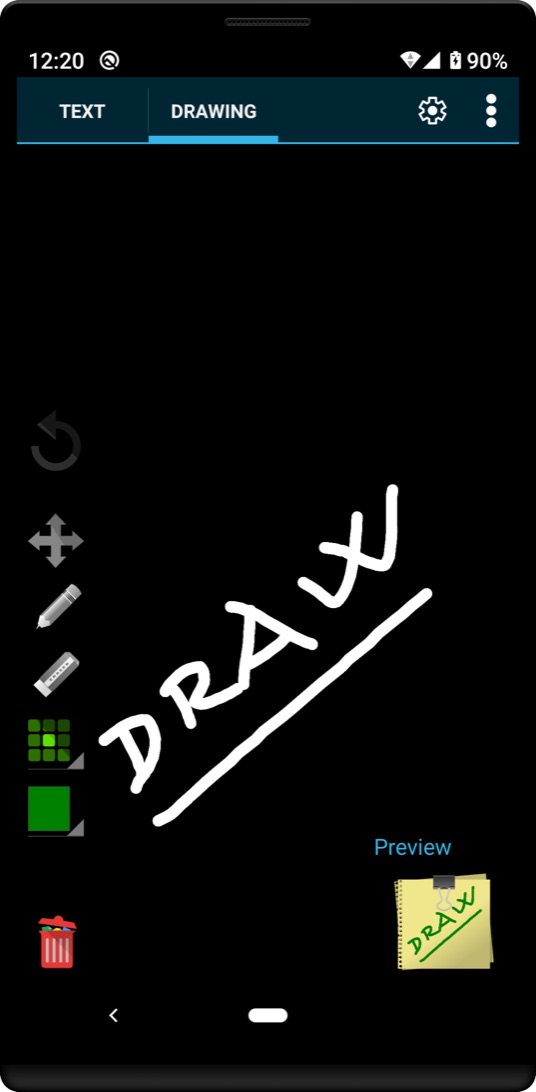
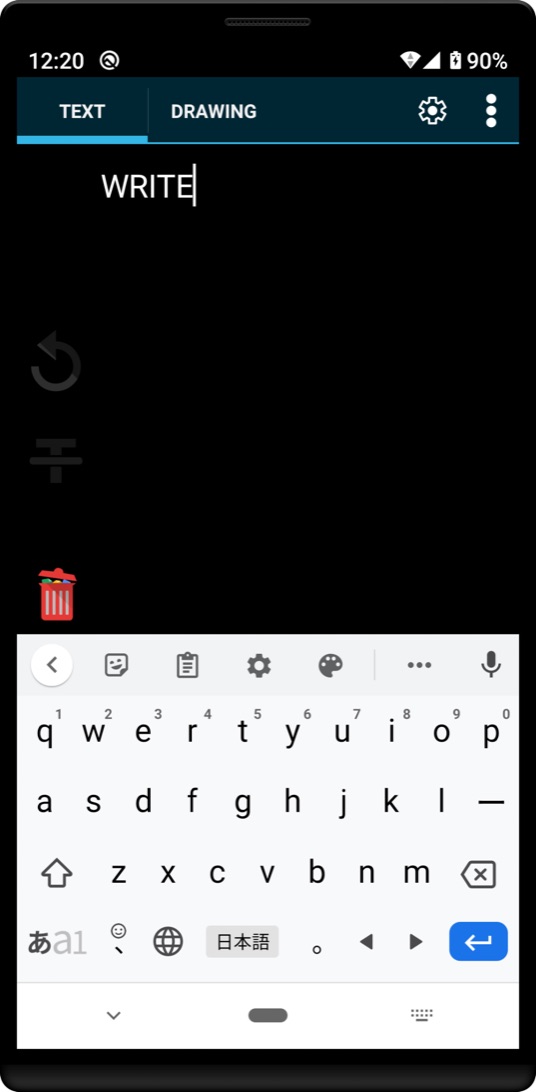
In the free versionA note has a Text tab and a Drawing tab. Type with emoji if you like, or switch to drawing and sketch with your finger. Undo, move, pens, stroke size, colour and a clear button sit on the side bar, and a preview shows the finished note.
Handwritten fonts
In the free versionTyped text does not have to look typed. Pick one of several handwriting-style typefaces and a typed note reads like one you scribbled on the fridge.
Your colours
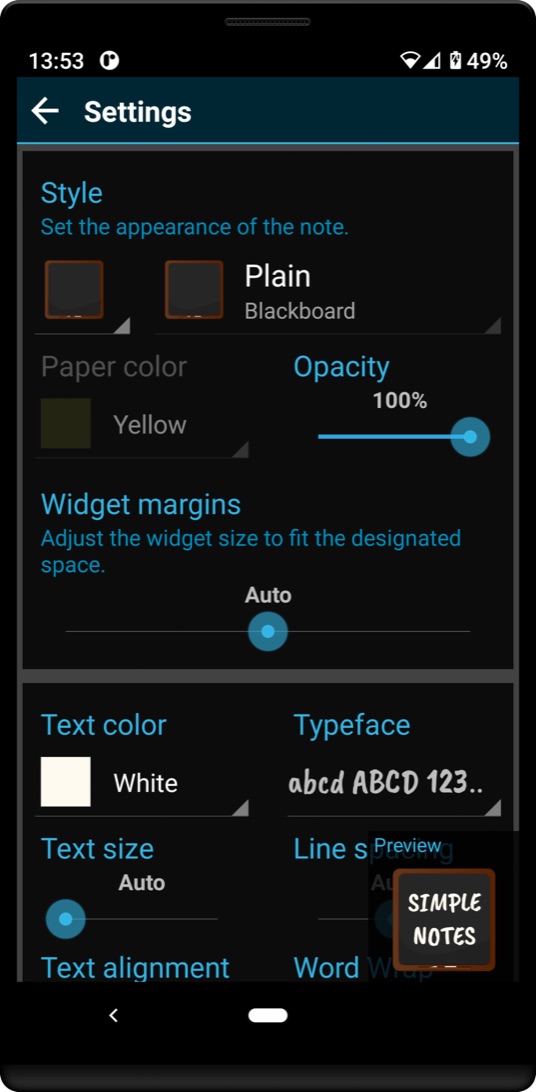
In the free versionPaper colour, pen colour, highlighter colour and opacity, plus text size, line spacing, alignment and margins, so the note fits the gap on your home screen instead of the other way round.
Share a note as an image
In the free versionFinished something you like? Share it to Facebook, X or wherever else your phone’s share menu goes. Sharing is always something you start; nothing is posted on its own.
Offline, and stored on the phone
In the free versionNotes are saved locally on your device, and creating, editing or viewing them needs no internet connection. There is no account because there is nothing to sign in to.
No ads, once
One-time $1.99The one thing that costs money: an ad-free upgrade, bought once through Google Play. What that means exactly.
On the home screen in four moves
Install
From Google Play, to the phone’s internal storage. On an SD card the widget may not appear in the list at all.
Add the widget
Touch and hold an empty spot on the home screen, tap Widgets, find Another Note, then drag it into place.
Write or draw
Tap the note. Use the Text tab to type, or Drawing to sketch.
Make it yours
Tap Settings in the note to change the style, paper colour, font and size.
Resizing, recovering an old note, and what to do on Xiaomi or Oppo phones when the widget keeps loading: all in the how-to.
What it looks like
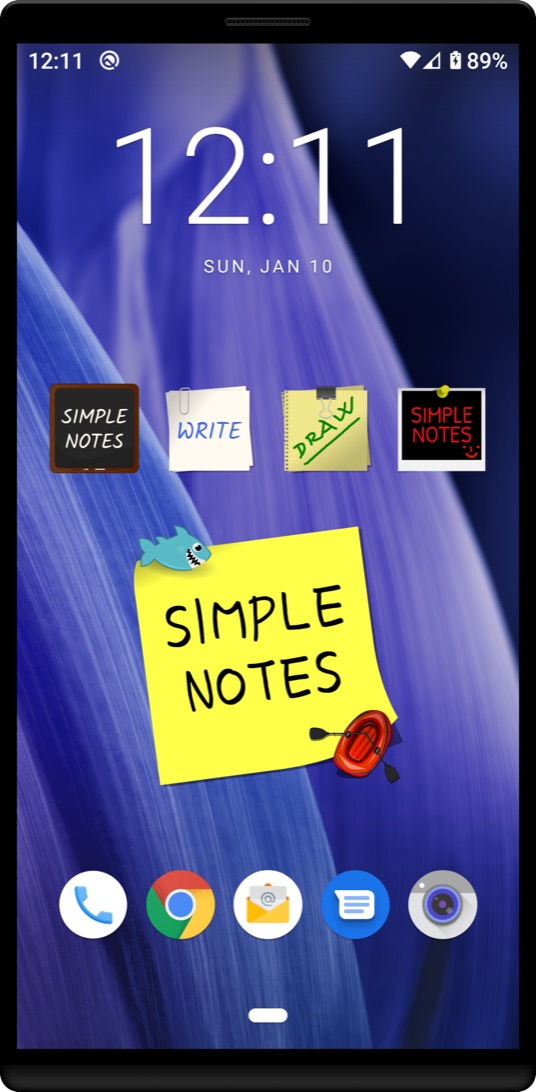
All four screenshots the developer publishes on the Google Play listing, unedited.
A widget, or a notes app?
Probably both. They do different jobs, and knowing which is which saves you installing the wrong thing.
Use Another Note for
- something you need to see without looking for it
- a short list you will tick off today
- a doodle or a message that makes the home screen yours
Use a notes app for
- long notes, folders and searching years of them
- notes shared or synced between devices
- anything you need backed up in the cloud
Worth knowing
Because notes live only on the phone, they go with the phone. The developer does not describe a cloud backup. The app keeps a history of notes on the device, so an accidentally removed widget can be brought back: how.
What it costs
One price, one purchase, no small print. The whole thing fits on one screen.
Free
$0
Every design, theme, font, colour, typing and drawing, sharing and note history, with advertising shown in the app. The Google Play listing carries a Contains ads badge.
Ad-free upgrade
$1.99 once
Removes the ads. It is a one-time purchase, not a subscription: it is charged once and does not renew, so there is nothing to cancel later. $1.99 is the price Google Play lists for the app’s only in-app item; the price shown in Google Play when you buy, in your currency and with any tax, is the one that applies.
Paid and still seeing ads? Changed phones?
The purchase is made and recorded by Google Play against your Google account. Make sure the phone is signed in to Google Play with the account you bought with. Refund requests go to Google Play under its refund policy; this website never takes a payment and cannot see purchases. More in the FAQ.
Three permissions, and what the ads collect
The permission list is short. The data safety declaration is where the ads show up, and it is worth reading properly rather than skimming.
| Permission on the listing | The usual reason |
|---|---|
| Full network access | Loading the ads in the free version. Notes themselves need no connection. |
| View network connections | Checking whether there is a connection before trying to load an ad. |
| Prevent device from sleeping | Keeping the phone awake for the moment it takes to redraw a widget, so a note does not come out half-rendered. |
The developer does not explain these three on the listing; the reasons above are the usual ones for an app that shows ads and redraws widgets. What matters more is what is not on the list: no location, camera, contacts, photos or storage permission.
The data safety declaration, plainly
On Google Play the developer declares that the app may collect and share three kinds of data, all tied to advertising and crash reporting, not to your notes:
- approximate location (optional), for advertising or marketing;
- device or other IDs (optional), for advertising or marketing;
- crash logs, diagnostics and other performance data, for analytics.
Data is encrypted in transit. The declaration also says data can’t be deleted on request.
What that means for you
The app has no location permission, so “approximate location” is the kind ad networks infer from your internet connection. The developer states that ads use device IDs to show relevant ads and that note content is never accessed or shared.
There is no deletion request because the developer holds no account for you. What you can do yourself: reset or delete your advertising ID in Android’s settings (usually Settings → Google → Ads), and uninstalling the app removes your notes from the phone.
The app’s own privacy policy is separate from this site’s. The current declaration is always the one on the Play listing.
Before you install
Is the ad-free upgrade a subscription?
No. It is a single $1.99 purchase through Google Play that does not renew. There is no subscription in this app.
Can I have more than one note on the home screen?
On most phones, yes: add the widget again for each note. A few devices do not allow more than one copy of the same widget, and then only one note can be shown.
My note got smaller after an update
Tap the note, open Settings and set Image Quality to Very Good or Good. The developer recommends exactly this in the release notes.
Does it need an internet connection?
Not for notes. Writing, drawing and viewing all work offline; a connection is only used for ads and for sharing.
Pin up your first note
Free on Google Play, with ads, and a one-time $1.99 if you would rather not see them. Installed from Google Play only; this site never offers an APK.